

Key Takeaways
- Websites are not “set it and forget it” assets. Regular maintenance helps protect your website’s performance, search visibility, user experience, and ability to generate leads.
- A simple maintenance routine goes a long way. Weekly backups, monthly performance reviews, quarterly audits, and annual strategic evaluations can prevent costly issues and keep your site growing.
- Small improvements compound over time. Consistently updating content, fixing technical issues, and optimizing user experience can lead to meaningful gains in traffic, engagement, and conversions.
Is Website Maintenance Really Necessary?
It’s a fair question and one we hear often.
A lot of businesses treat their website like a one-time project. It gets designed, developed, launched… and then left alone. But the reality is, websites aren’t meant to be built and forgotten. They’re meant to evolve.
Search behavior changes. Technology evolves. Your business grows. If your website isn’t evolving alongside it, it gradually becomes less effective, whether that appears as declining traffic, fewer leads, or reduced search visibility. Maybe you’re here because you’ve started noticing one or all of these signs.
That’s exactly why we’ve put this guide together. The goal is to simplify what website maintenance actually looks like and give you a clear, practical framework you can follow.
We’ve seen firsthand how impactful ongoing website maintenance can be. In working with clients like OrthoConnecticut, consistent updates, performance monitoring, and content enhancements played a major role in driving measurable growth. By actively optimizing the website over time, the practice saw sustained improvements in visibility, engagement, and long term performance.

On the flip side, we’ve also seen what happens when maintenance is ignored. Even well-built websites can slowly lose traction if they’re not being consistently updated, optimized, and aligned with current best practices.
The takeaway is simple: your website isn’t a static asset, it’s a living part of your business. And like anything that drives growth, it needs ongoing attention.
The Only Website Maintenance Checklist You’ll Need
Website maintenance doesn’t need to feel overwhelming. When approached strategically, it’s often much more manageable than people expect.
The reality is that maintenance effort isn’t evenly distributed. Most weeks don’t require major technical work. Instead, larger strategic updates happen periodically, while ongoing monitoring, small refinements, and routine safeguards help keep the site performing smoothly day to day.
Weekly Website Maintenance
The good news is that weekly maintenance is fairly light, but it plays an important role in keeping your site safe and stable.
Backups
One of the most important habits here is making sure your website is properly backed up. A backup is essentially a saved copy of your website’s files, content, settings, and database that allows you to restore the site if something goes wrong. If you’re using a platform or CMS that supports automatic backups, it’s worth checking that they’re actually running as expected. If not, manual backups should be part of your routine, especially before making any changes to your site.
We’ve seen too many situations where a simple update or small edit causes unexpected issues, and without a recent backup, recovery becomes unnecessarily stressful and time-consuming. A reliable backup gives you a safety net, so you can make changes confidently knowing you can roll back if needed.
Most modern website platforms, including WordPress, make this relatively straightforward, but it’s still something that should be actively checked, not assumed.
Monthly Website Maintenance
Updates
On a monthly basis, your focus should start to shift from just keeping the site running to actively improving it. That starts with making sure everything is up to date. Your hosting environment, CMS, plugins, and security tools should all be checked regularly to avoid performance issues or vulnerabilities. Even small updates can prevent larger problems down the line.
Site Speed
Site speed is another area worth monitoring. A slow website doesn’t just frustrate users, it directly impacts conversions and search visibility. According to Google, as page load time increases, the probability of a user leaving your site rises significantly. Keeping an eye on performance helps ensure you’re not losing traffic before visitors even engage with your content.

Monitor Website Data and KPIs
Tools like Google Analytics and Google Search Console give you a clear picture of how your site is performing. The exact metrics you track will depend on your goals, but some of the most common metrics businesses track are:
- Organic Sessions
- Organic Impressions
- Form Submissions and Calls (or any other primary Call To Action)
- Organic Search Ranking
What matters most here isn’t just tracking numbers, it’s understanding patterns and trends. If you notice sudden drops in traffic, spikes that don’t make sense, or pages that attract visitors but fail to convert, those are signals that something needs attention. In many cases, small adjustments can make a meaningful difference.
Content Updates
Monthly maintenance is also a good time to add fresh content to your site. Publishing consistently, even at a modest pace, helps keep your website active and relevant. In our experience, businesses that commit to one or two high-quality posts per month tend to see stronger long-term growth than those who publish sporadically.
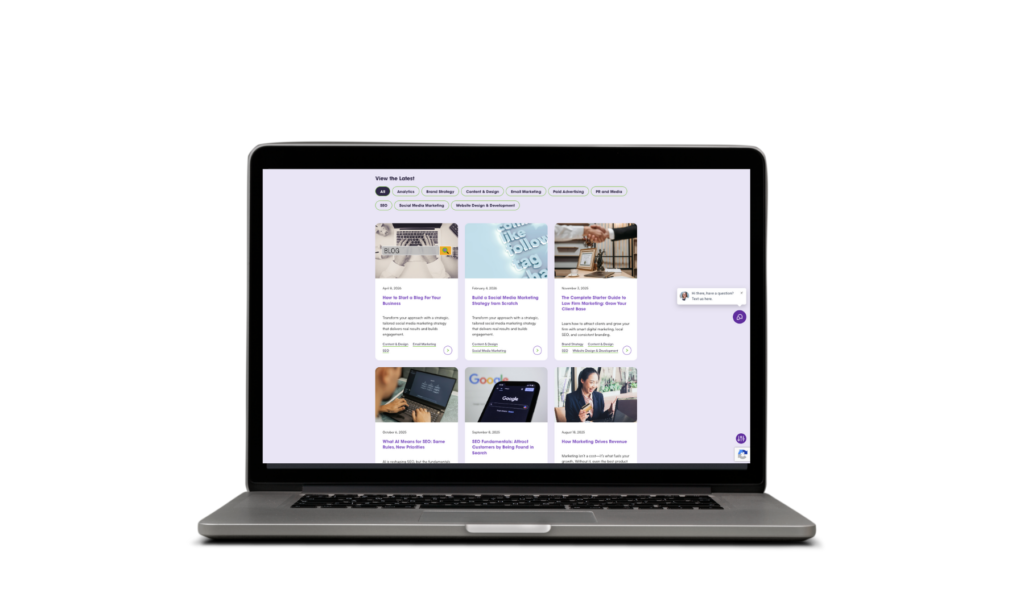
If you’re looking to get more out of your content, we break down the impact in our guide on 7 Benefits of Blogging for Business Growth, along with a step-by-step approach in How to Start a Blog for Your Business.
Quarterly Website Maintenance
Quarterly maintenance is where you take a step back and start looking at your website more strategically, making sure everything is working the way it should, from both a technical and user experience standpoint.
Test Site Functionality
One of the simplest but most overlooked exercises is going through your site like a customer. Fill out your forms, click through pop-ups, and test any key actions to make sure the experience is smooth from start to finish. It’s often the small friction points that cost you conversions.
It’s also important to make sure your site is functioning properly across different browsers and devices. What works perfectly in one environment doesn’t always translate to another, and those inconsistencies can quietly impact performance.
Fix Technical Issues
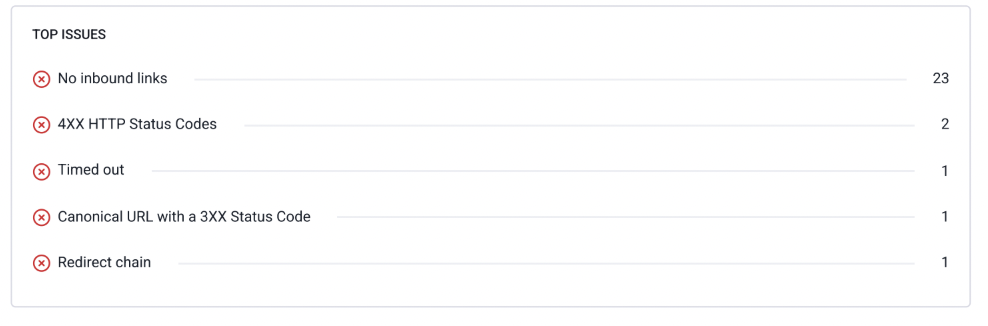
Checking for broken links, 404 errors, and crawlability issues helps ensure that both visitors and search engines can properly access and navigate your website. Broken links and 404 errors occur when pages, images, or resources no longer exist or have been moved without proper redirects, creating frustrating dead ends for users. Crawlability issues happen when search engines have difficulty accessing or understanding parts of your site, which can negatively impact search visibility and rankings.
It’s also not uncommon for important features like contact forms, appointment requests, or other conversion paths to quietly stop working without anyone noticing for months. Tools like Google Search Console can help identify many of these problems, but the real value comes from consistently monitoring and resolving issues before they begin affecting user experience, lead generation, or organic visibility.
Refresh Content
Content is another major focus here. Over time, even your best-performing pages can become outdated or less relevant. Refreshing content, consolidating overlapping pages, and improving clarity helps maintain quality and keeps your site aligned with what your audience is searching for.
Analyze SEO Trends
This is also a good opportunity to look at broader SEO trends. Which pages are gaining traction? Which ones are slipping? Understanding how your content is trending allows you to make informed updates rather than guessing what to do next.
In our experience, this is where a lot of growth happens. Small, consistent improvements, whether it’s fixing technical issues or refining content, tend to compound over time and lead to meaningful gains in traffic and conversions.
Annual Website Maintenance
Annual website maintenance is your opportunity to step back and evaluate whether your website is still doing its job. Is it supporting your current business goals? Is it helping drive the right kind of traffic and conversions? If not, this is where you figure out why.
Usability Testing
Bringing in people who are unfamiliar with your business to navigate your site can quickly uncover friction points you may not even realize exist. What feels obvious to you may not be obvious to your audience, and those gaps can directly impact conversions.
Evaluate Performance and Content Strategy
From there, take a broader look at performance. Over the course of a year, patterns start to emerge. You’ll have a clearer picture of what’s working, what’s underperforming, and where the biggest opportunities lie. In many cases, this leads to decisions around restructuring key pages, refining messaging, or making more significant design improvements.
This is also the right time to zoom out on your SEO and content strategy. Are you targeting the right topics? Are you attracting the right audience? A full audit can help you identify gaps and refocus your efforts on what will actually drive growth. If you need support here, our Search Engine Optimization services are built around long-term visibility and performance.
Reassess Tech Stack
Finally, it’s worth revisiting the tools and systems behind your site. Your hosting, CMS, and integrations should still align with your needs, and anything outdated or unused should be cleaned up. Keeping your tech stack lean and up to date reduces risk and makes your site easier to manage moving forward.
In our experience, this annual reset is what separates websites that simply exist from those that continue to evolve and drive results year after year.
Website Maintenance Checklist – Free PDF Download
If keeping up with website maintenance feels overwhelming for you, we created a free Website Maintenance Checklist that breaks down the key tasks you should be completing weekly, monthly, quarterly, and annually.
It’s a simplified companion resource to this guide that you can reference regularly to help keep your website secure, optimized, and performing at its best!
Your Website Is Never Truly “Finished”
A high-performing website isn’t something you launch once and forget about. It’s something you continuously improve over time.
The good news is that website maintenance doesn’t have to be overwhelming. Small, consistent updates, whether that’s monitoring performance, refreshing content, fixing technical issues, or improving user experience, can have a major impact on your long-term growth.
The businesses that see the best results from their websites are usually the ones that treat them like living assets, not static brochures.
If you want a clearer picture of how your website is performing today, take our Website Growth & Performance Scorecard. In just a few minutes, you’ll get a better understanding of what’s working, where there may be gaps, and what improvements could have the biggest impact.
If you need help improving your website’s performance, visibility, or user experience, our team is here to help!
FAQs
How much does it cost for website maintenance?
Website maintenance costs vary depending on the size and complexity of your site. Get in touch to discuss tailored pricing for your needs. We provide ongoing professional support for performance, SEO, security, and content updates.
What does website maintenance include?
Website maintenance typically includes software updates, backups, security monitoring, performance checks, analytics reviews, technical fixes, and ongoing content or SEO improvements.
How long does website maintenance take
Routine maintenance can take anywhere from a few hours per month to ongoing weekly management, depending on the size of the site and the amount of optimization being done.
Why is website maintenance important? What happens if I don’t maintain my website?
Without maintenance, websites can become slow, outdated, vulnerable to security issues, and less effective at generating traffic and leads. Over time, performance and search visibility might decline.
Can I handle website maintenance myself, or do I need a professional?
This depends on your experience and comfort level managing your website. Basic maintenance can often be handled internally, but professional support becomes more important as your website grows and requires deeper technical, SEO, or performance optimization.